Time signature, key and tempo
Change the time and key signatures from any bar onwards, and set the song's tempo and tempo changes along the way.
Change the time and key signatures#
Choose to open a dialog that changes the time and key signatures from the bar under the cursor onwards.
You can also open it by clicking the Time Signature or Key Signature value in the bar section of the Selection tab of the inspector. Under Time Signature choose the top and bottom numbers, and under Key Signature (circle of fifths) choose a key signature from the circle of fifths. Click Apply and the change applies up to the next bar that changes the time or key signature.
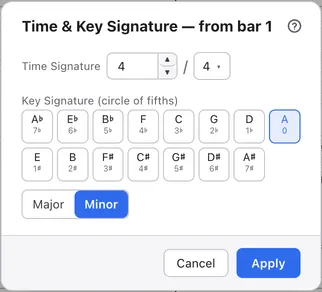
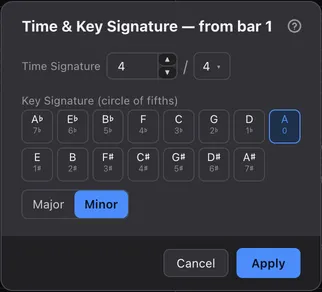
The names on the circle-of-fifths buttons follow Mode: major keys under Major, minor keys under Minor. For A minor, switch to Minor and choose the A button.
The song’s tempo#
Set the tempo at the start of the song with Initial Tempo on the Song tab of the inspector.
Enter it as quarter notes per minute. If you only want to slow down for practice, change the playback speed rather than the tempo; see Speed, metronome and count-in.
Change the tempo partway through#
Use + next to Tempo Changes in the inspector’s bar section to add a tempo change to that bar.
Enter the tempo and its position within the bar. A bar can hold several changes, and the − on a row removes it.
Speed up or slow down gradually#
Turn on the toggle in a tempo change’s row to make the tempo change gradually from that point to the next tempo change.
The score shows accel. or rit. with a dashed line. Without a following tempo change, nothing changes on the page.
Pickup, free time and common time#
Use Bar Attributes in Structure & Symbols in the inspector to set properties of the bar under the cursor.
- Pickup: makes it an opening bar shorter than the time signature. It’s left out of the bar length check
- Free Time: makes a bar that isn’t bound by the time signature. It’s left out of the bar length check
- Common Time: draws 4/4 as C and 2/2 as C with a vertical line. Other time signatures stay as numbers
All of these apply to every track.