The whole window
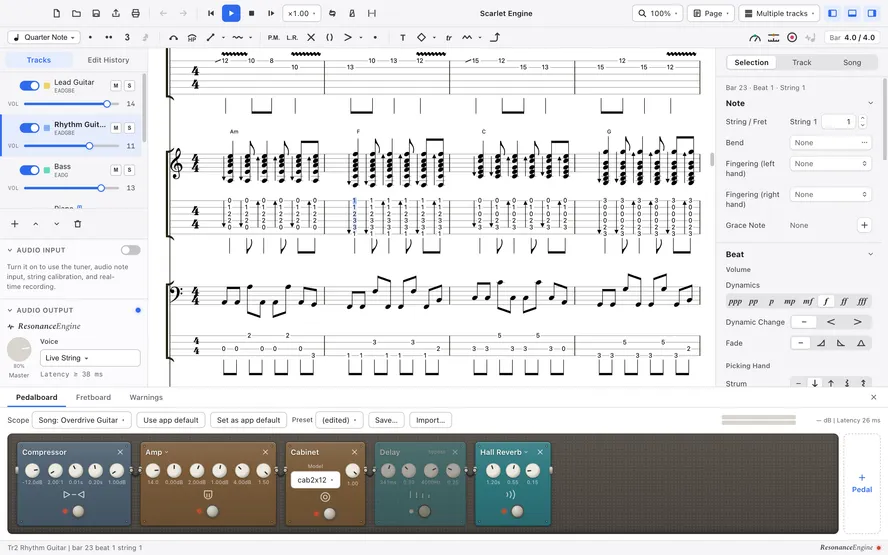
The window with a song open, divided into seven areas, and what each one is for.
1Toolbar
Buttons for files, undo, playback and view options. The song title sits in the middle.
2Edit palette
A row of buttons for note values and techniques. The meter at the right end shows how full the current bar is.
3Left panel
Switch between the track list and the edit history. Below them are Audio Input and Audio Output, where you adjust the sound coming in and going out.
4Score
Where standard notation and tab are drawn. Click a beat to move the cursor there, then write notes with the keyboard.
5Inspector
Edit the note, beat and bar under the cursor, as well as settings for the track and the whole song.
6Bottom panel
Tabs for the pedalboard, the instrument board and warnings. Open and close it with ⌘ECtrl+E.
7Status bar
Shows the cursor position, the selected range, the number of warnings and the state of the Resonance Engine.