Tuning and capo
Change the tuning, number of strings and capo of guitar and bass tracks. Also explains the two kinds of transposition.
Change the tuning#
On the Track tab of the inspector, click the note names of Tuning to open the tuning dialog.
You can also open it with . Choosing from Preset fills in the note for each string. In each string’s field, the arrow buttons raise or lower the note a semitone at a time. Click Apply to confirm; the change is a single edit you can undo.
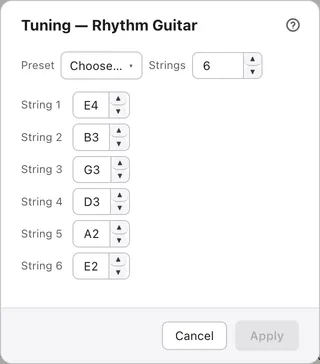
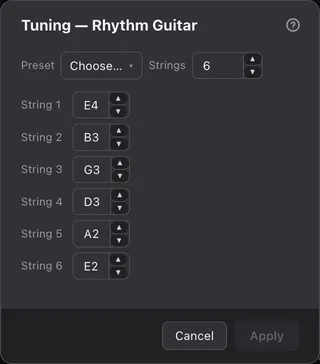
Only string tracks such as guitar and bass have a tuning.
Change the number of strings#
Increasing Strings adds a string on the lowest side.
Decreasing it removes strings starting from the lowest. You then choose what happens to notes on the removed strings:
- Clamp (move to nearest string): moves one note per beat to the new lowest string. The fret number stays the same, so the note sounds different. The other notes are removed
- Delete: removes the notes on the removed strings. A beat that loses all its notes becomes a rest
Either way, undoing puts everything back.
Capo#
Enter a number in Capo to put a capo at that fret.
Change it on the Track tab of the inspector or in the track properties. 0 means no capo. Tab numbers stay counted from the capo, while the standard notation and the sound go up. The score doesn’t show the word “capo”.
Two kinds of transposition#
Transpose (sounding) moves the sound, while Transpose (display) only moves how the standard notation is written.
Both are on the Track tab of the inspector and are set in semitones. Drum tracks don’t have them.
- Transpose (sounding): moves both the sound and the standard notation. Tab numbers don’t change. A positive number makes the track sound that many semitones lower
- Transpose (display): moves only the height at which the standard notation is written; the sound doesn’t change. Guitar music is conventionally written an octave above the real sound, so guitar and bass tracks you add start at −12