Audio commandsNew in 1.1.0
During audio note input, play your guitar to undo, enter rests or change the note value.
What audio commands are#
During audio note input, playing a chosen note opens a dial, and playing an open string chooses the action assigned to that string.
The note that opens the dial is called the Trigger (opens the dial). Without taking your hands off the guitar, you can undo, enter rests, change the note value or dot, and move the cursor. Audio commands only work while audio note input is on.
Turn them on#
Turn on Use audio commands on the Audio tab of .
It’s off at first. Once it’s on, the Trigger (opens the dial) note is no longer written as a note.
Reading the dial#
The dial opens over the score, with a slot for each string showing its assigned action.
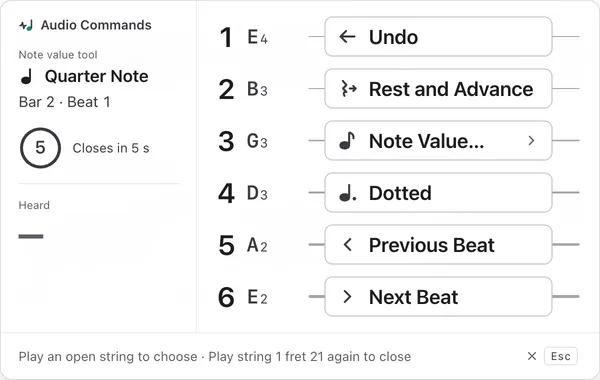
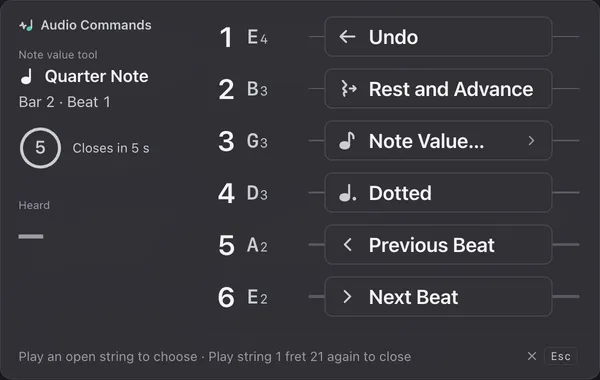
1Audio Commands
Shows that this is the audio commands dial.
2Note value tool
The note value currently selected, and the cursor position.
3Time until it closes
If you do nothing, the dial closes after a few seconds.
4Heard
The note the dial heard. Notes that aren’t open strings are ignored.
5String slots
There’s a slot for each string, with string 1 at the top. Playing an open string runs that slot’s action.
6Undo
Assigned to string 1 at first. Dimmed when there’s nothing to undo.
7Note Value…
Switches to a smaller dial for choosing a note value.
8Hint
How to use the dial. Playing the Trigger (opens the dial) again closes it.
9Close (Esc)
Closes the dial.
Choose with open strings#
When the dial opens, play the open string of the slot you want.
At first the assignments, from string 1, are Undo, Rest and Advance, Note Value…, Dotted, Previous Beat and Next Beat. After an action runs, the dial closes and the next note you play is written again.
Clicking outside the dial or pressing EscEsc also closes it. It closes as well when playback starts or when you move the cursor to another track.
Choose a note value#
Play the Note Value… string to switch to a dial where thicker strings give longer note values.
On a 6-string guitar, string 6 is a whole note and string 1 is a 32nd note. The note value you choose applies from the next note you place. If the cursor is on a note, that note’s length changes too. Dotted likewise toggles the dot for the next note.
Change the trigger and actions#
Change the string and fret of the Trigger (opens the dial), and Action per string, in the same section of the settings.
The Trigger (opens the dial) starts at string 1, fret 21. Choose a position you rarely use when playing. Frets are counted from the nut, so the position stays the same with a capo. If the same pitch can also be played elsewhere, the settings show a notice.
Each action can go on only one string. Preview shows how the dial looks when it opens. Restore Recommended restores the original settings. These settings are kept the next time you start the app.