Bends and whammy
Add bends, which push a string to raise the pitch, and whammy, which moves the pitch with the bar.
Add a bend#
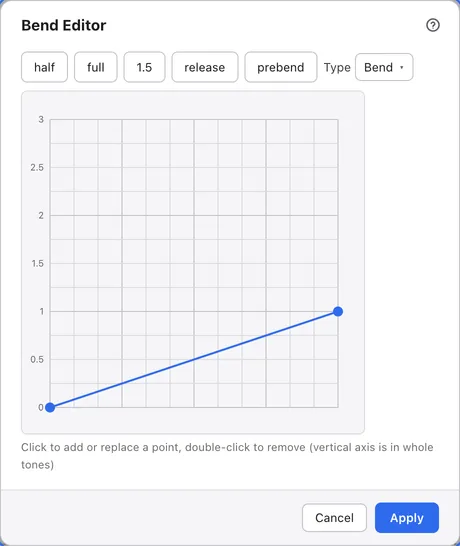
Select a note and press BB to open the Bend Editor.
The buttons along the top pick common shapes in one go: half is a half-step bend, full a whole-step bend and 1.5 a step-and-a-half bend. release bends up and back, and prebend plays a note that is already bent.
Redraw the curve#
Click the grid to add a point, and double-click a point to remove it.
The horizontal axis is the length of the note and the vertical axis is how far the pitch rises, marked in whole steps. Moving points by hand sets Type to Custom. You can also pick set shapes from the Type list.
Press Apply to add the bend. With a range selected, every note in the range gets the same bend. To remove it, press Clear Bend.
Add whammy#
Select a beat and press WW to open the Whammy Editor.
Whammy belongs to a beat rather than a note, and moves the pitch of every note sounding on that beat. Choose the shape with Type and how far it moves with Depth (¼ tone).